
New Feature: Email Attachments Are Now Included in Text Messages
text.email now supports email attachments.
That means: When an email is sent to your text.email address, any attachments on that email can be automatically turned into a short link and included in the SMS alert.
Think: Voicemail files, PDFs, photos, screenshots, logs, and more.
Before we rolled this out, text.email was focused on turning the subject and body of an email into an SMS message. That worked well for alerts, notifications, confirmations, and other short messages.
But some email-based systems include important information or files as an attachment.
Now, text.email can include a link to those attachments directly in the text message.
Note: text.email can send MMS messages where JPG, PNG, GIF, and WAV files are directly in the conversation and not attachments. Read up on that here.
Email Attachments As Texts: Table of Contents
- How Email Attachments-to-Text Messages Works
- Changing the Attachment-to-Text Settings
- Ready to Use Email Attachments-to-Text Messages?
How Email Attachments-to-Text Messages Works
A system or person emails your text.email address. That email has an attachment.
text.email then…
- Automatically detects the attachment
- Saves it
- And adds a short link to the file to the SMS message
So, for example, many phone systems can send an email whenever a new voicemail is received. In that case, an email like this:
Subject: New voicemail from 937-555-1234
Body: You received a new voicemail.
Attachment: voicemail.wav

Can become a text message like this:
New voicemail from 937-555-1234: You received a new voicemail.
https://[link to the file]
We’ll use our text.email link shortener to save you a few characters as well.
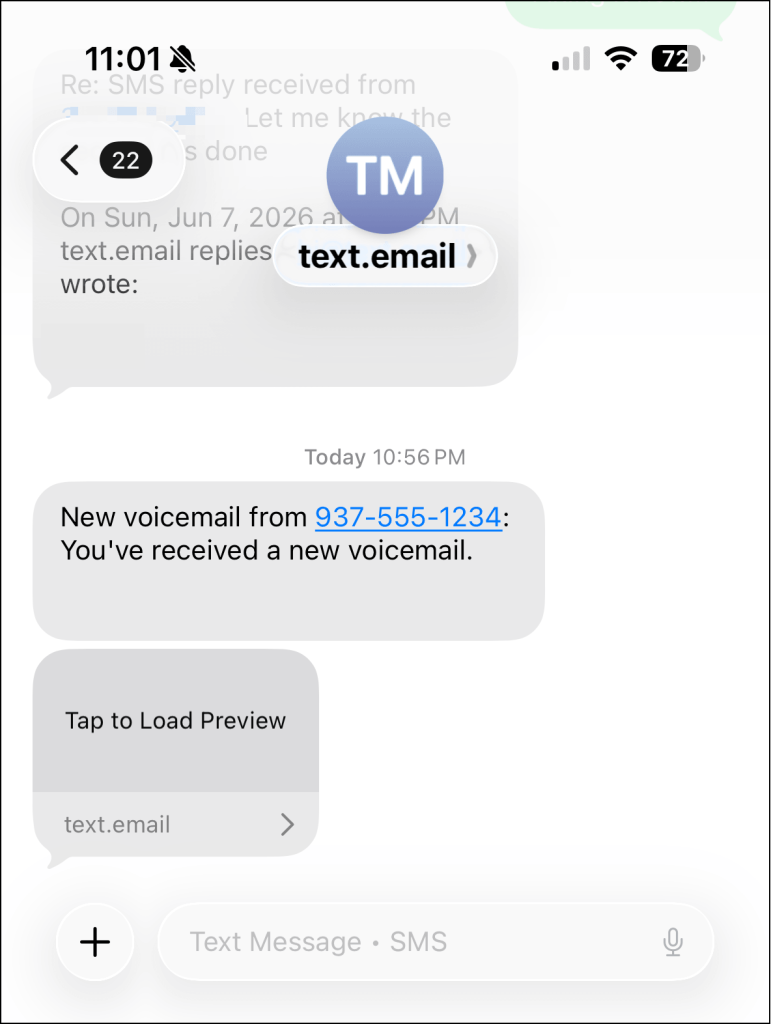
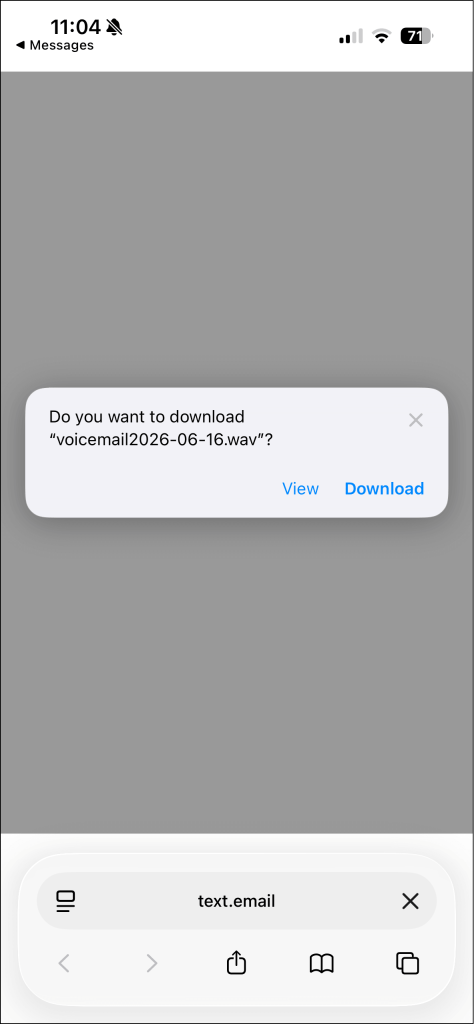
Tap the link, and you can access the file on your phone.
What if an email has multiple attachments?
If the email has one attachment, the link opens that file directly.
If the email has multiple attachments, you’re good too. When you tap the link, it will open a simple attachment page in your browser showing links to the attached files. From there, you can choose which attachment to open or download.
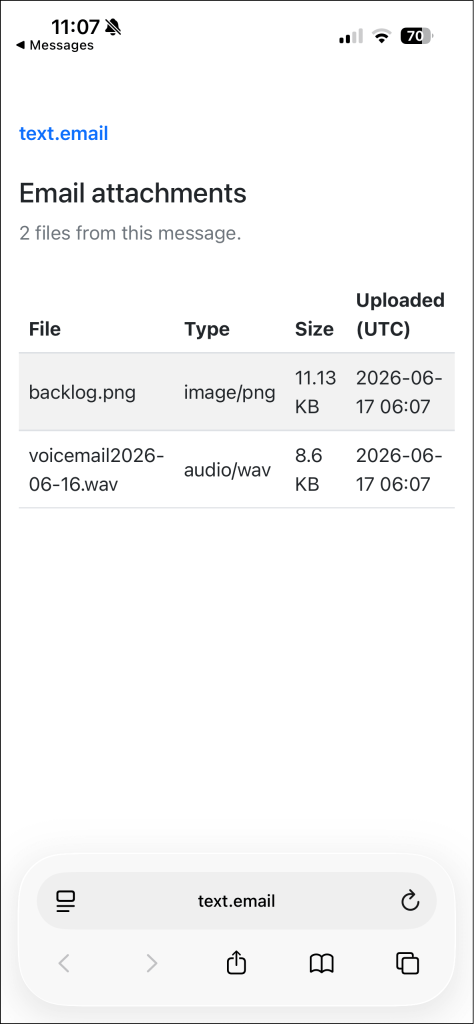
That keeps the text message short while still giving you access to all of the attachments.
Note: Attachments are OFF by default
Email attachments are NOT automatically turned on for your text.email account.
You’ll need to enable them in your settings first. (Or, as you’ll see below, add them to a formatting template.)
Attachments vs. MMS
I mentioned this briefly in the opening, but text.email can send certain file types (JPG, GIF, and PNG images, and WAV audio) inline using MMS messaging. For instance, here’s an inline image.
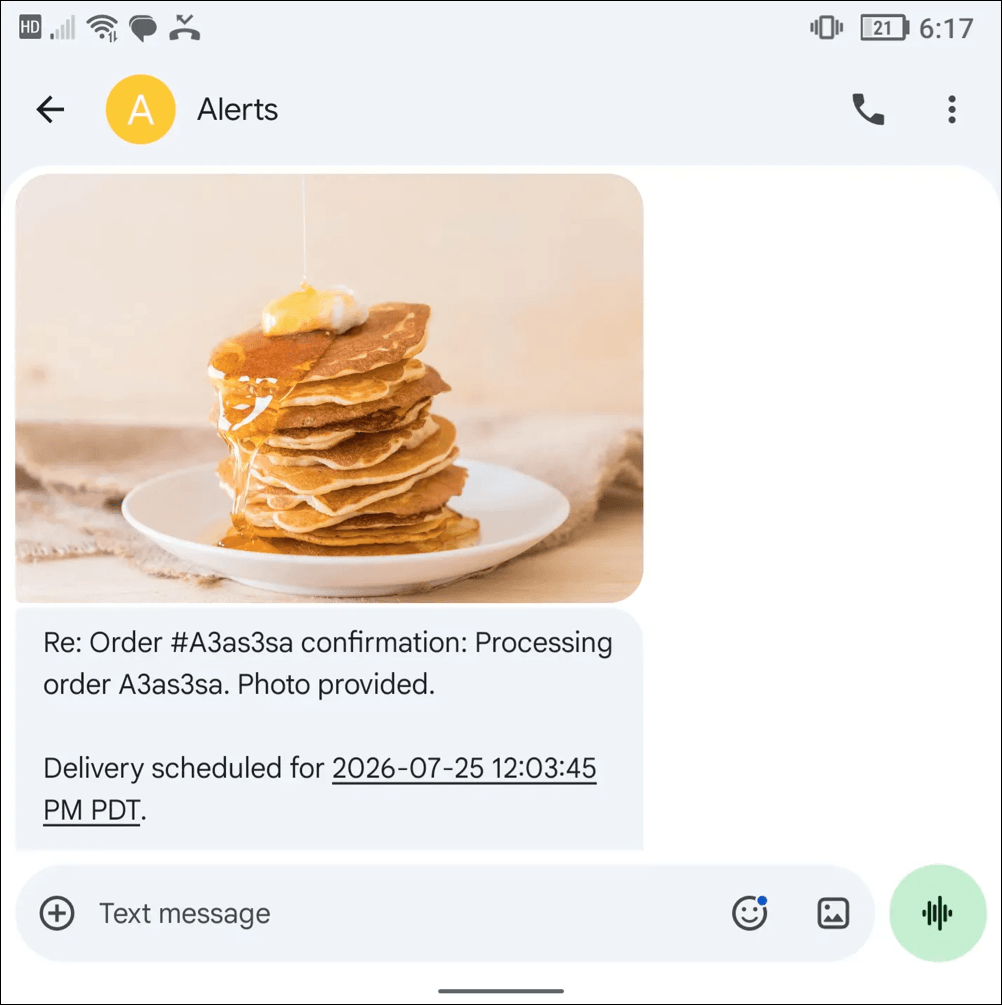
You can turn on that MMS messaging in your text.email settings. MMS pricing is an additional 10 cents per message on top of your base subscription price (because it actually costs us more to send them).
Attachments don’t cost extra, but someone would have to click on the link to see your attached image.
It’s up to you which you’d rather use.
Changing the Attachment-to-Text Settings
Here are a few options you have with this email attachment-to-text message feature.
Formatting your attachment link
By default, text.email adds an attachment link to the end of the SMS message.
But you can change that with our SMS formatting feature.
You can use the {attachment} or {attachments} field to decide exactly where the attachment link should appear in the text message.
For example:
Voicemail from {from}: {subject} — ({attachment}Note: Confidential. Do not forward.)
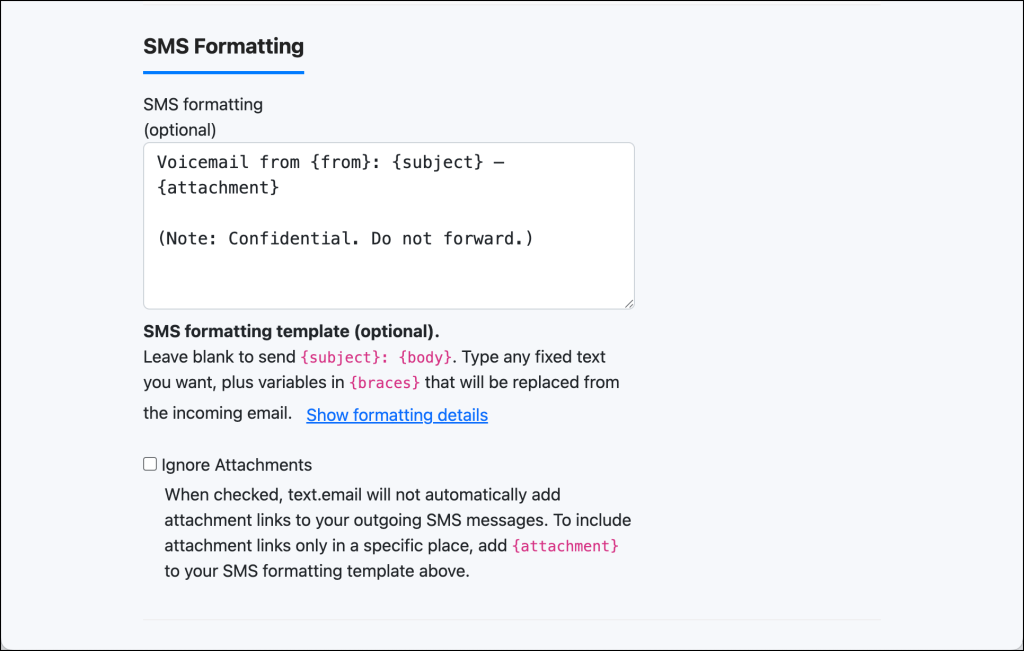
This gives you control over the final SMS message while still keeping the setup quick.
(If there’s no attachment in the email, no link will be included.)
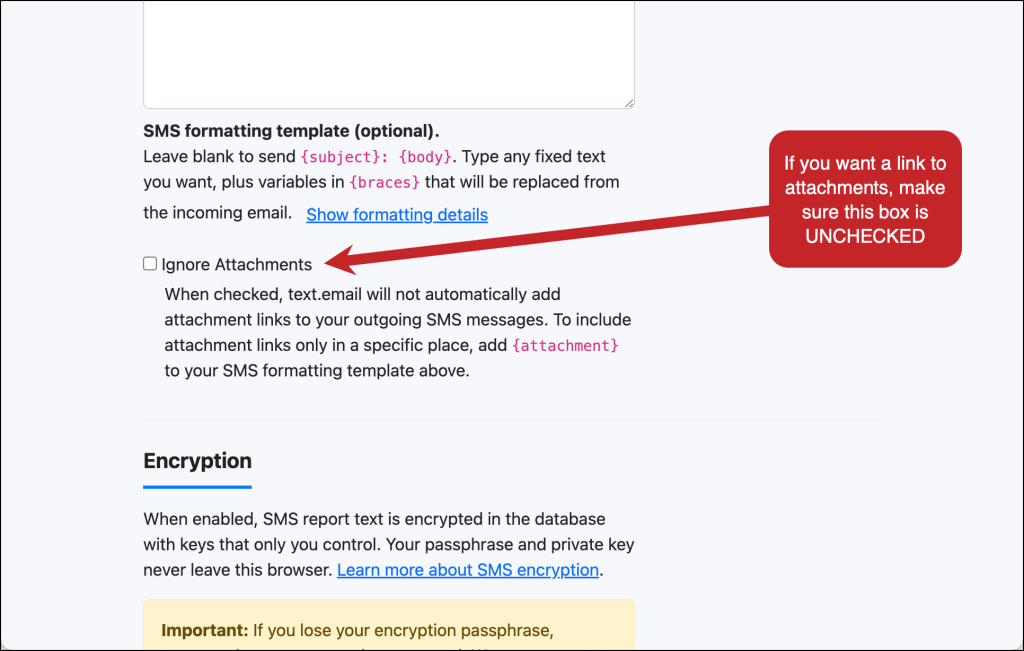
Turning off this email attachment feature
By default, text.email will turn email attachments into links in your text messages.
If you don’t want that, you can use the Ignore Attachments setting. Check the box and attachments will not come through as linked files.
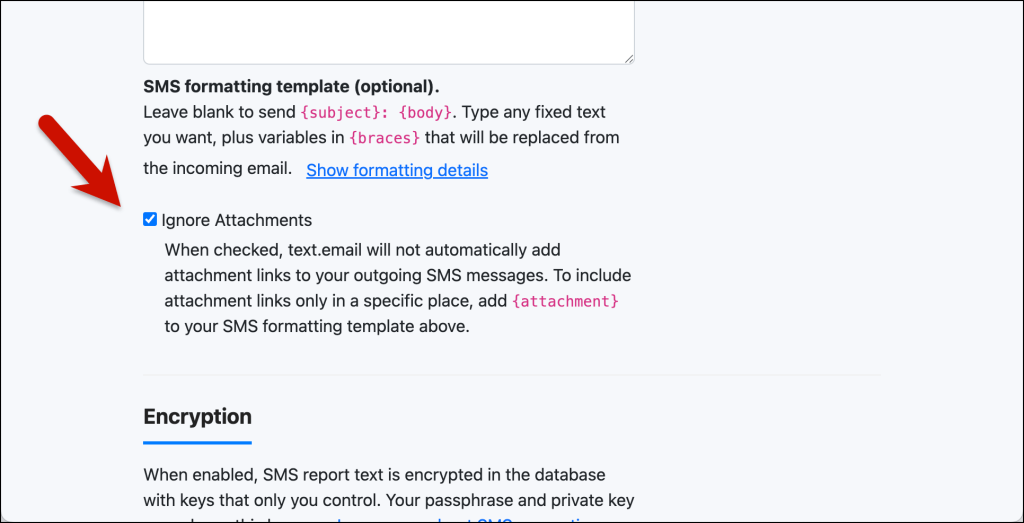
Important: If you include {attachment} in your SMS formatting template, that will override this setting and the attachment link will be inserted exactly where you placed it.
Ready to Use Email Attachments-to-Text Messages?
This attachments-to-texts feature is just the latest way that text.email is making sure your most important emails can come through to your phone as texts, no matter what those emails contain.
A lot of automated email systems send useful information as files: voicemail recordings, PDFs, reports, screenshots, logs, invoices, photos, and more.
And now, with text.email’s email to SMS system, those attachments are instantly available to you on your phone.
Not a text.email subscriber yet? You can try it out for free (no credit card or signup required). Just send an email to your-number@text.email (feel free to include an attachment) and watch it come through as a text on your phone.
Send an email to
your-number@text.email
and receive it as a text in seconds. No signup required.